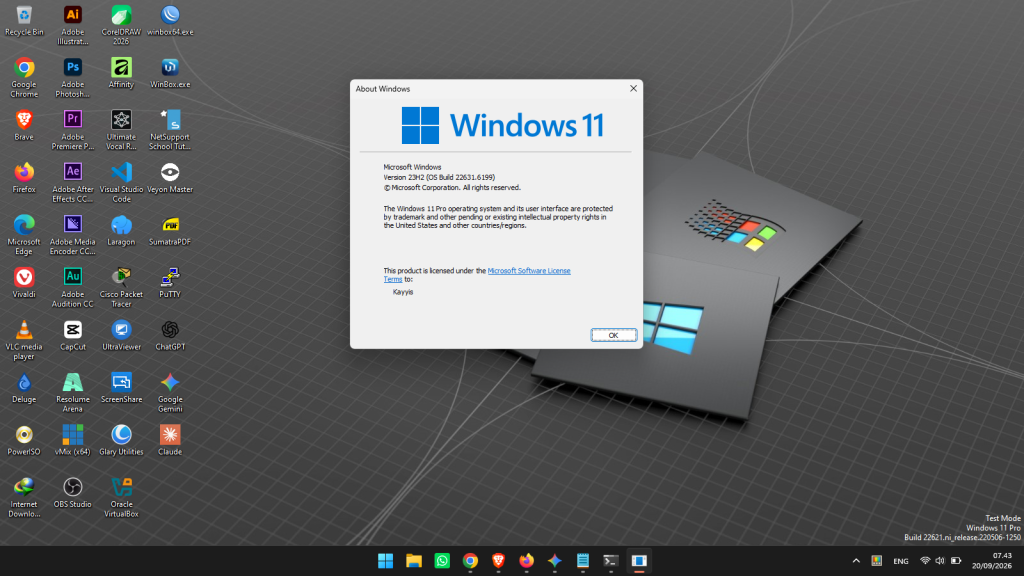
Download Windows 11 23H2 ISO (Official & Untouched)

Are you looking for an official Windows 11 23H2 ISO download link? As you may already know, Microsoft has phased out version 23H2 from its primary download portal in favor of newer builds like 24H2 and 25H2.
If you still need the trusted 23H2 build, don’t worry. In this guide, we provide safe, direct links to download genuine, unmodified Windows 11 23H2 ISO images.
Why Should You Still Choose Windows 11 23H2?
With newer builds available, why stick with version 23H2? Here is why it remains a top choice:
- Peak Stability & Mature Performance: Version 23H2 has matured through extensive updates, making it one of the most stable and bug-free iterations of Windows 11.
- Lightweight & Ideal for Older Hardware: Newer updates (like 24H2 and beyond) introduce heavier background processes and stricter CPU requirements (such as mandatory SSE4.2/POPCNT support). Version 23H2 runs significantly lighter, making it ideal for older laptops and officially unsupported PCs.
- Field-Tested Reliability: On older test rigs (such as a 3rd Gen Intel Core i5, 8GB RAM, and SSD), Windows 11 23H2 delivers smooth, responsive, and reliable day-to-day performance without aggressive hardware throttling.
If your device has modest specifications and you prioritize stability over the newest experimental features, Windows 11 23H2 is widely recommended.

Method 1: Download Windows 11 23H2 via Massgrave (MAS)
One of the most trusted community repositories for pure, official Microsoft files is massgrave.dev.
Note on Safety: All download links provided on Massgrave point directly to authentic, untouched Microsoft ISO files. No tweaks, bloatware, or modifications are included.
Step-by-step guide:
- Visit massgrave.dev.
- Navigate to the Windows ISO / downloads section.
- Locate Windows 11 Version 23H2.
- Choose your preferred edition and system language, then start your download.
Method 2: Download Windows 11 23H2 via OS.Click
OS.Click is another well-established platform hosting untouched ISO images for Windows (including Windows 8.1, 10, and 11) as well as popular Linux distributions (Ubuntu, Debian).
The files hosted here are 100% original and verified against official Microsoft checksums (SHA-256).
Step-by-step guide:
- Visit OS.Click.
- Click the Get My ISO button.
- Select Windows > Windows 11.
- Select the 23H2 branch, choose your language and architecture (x64/ARM64), and follow the prompts to get your direct download link.
Windows 11 23H2 vs. Newer Builds: Which One Should You Install?
- Modern & High-Spec PCs: If your desktop or laptop meets official hardware requirements and features a modern processor, go with the latest Windows 11 releases (such as 24H2 or 25H2) to enjoy the latest security features, native AI integration, and core OS enhancements.
- Older or Unsupported Hardware: If your device has limited RAM, an older multi-core processor, or lacks official TPM 2.0 / Secure Boot support, stick to Windows 11 23H2. Forcing newer builds on legacy components often leads to driver incompatibilities, elevated background usage, and performance stutters.
Frequently Asked Questions (FAQ)
- Is the Windows 11 23H2 ISO safe to download from third-party mirrors?
Yes, as long as you use verified mirrors like Massgrave or OS.Click that supply clean, original Microsoft images. You can always verify the file integrity by checking its SHA-256 hash against official records. - Can I run Windows 11 23H2 on unsupported CPUs?
Yes. You can bypass TPM and CPU requirements during USB creation using tools like Rufus.
Need Help?
Have trouble finding the right edition or creating a bootable USB installer? Leave your questions in the comments section below, and we’ll be glad to help!
