Download 150 GameHouse PC Offline – Classic Games Collection

Playing games is one of the most enjoyable ways to spend your free time. Besides being entertaining, games can also be a great way to relax and get rid of boredom.
If you want to take a trip down memory lane and revisit the classic games you used to play years ago, GameHouse is a great place to start.
This collection contains more than 150 classic GameHouse PC games that can be played offline. These lightweight games are suitable for users who enjoy simple gameplay and want to experience the nostalgia of classic PC gaming.
What Is GameHouse?
GameHouse is a game publisher and entertainment company that became widely known for its collection of casual PC games.
During the golden era of casual PC gaming, GameHouse titles were extremely popular. Many of these games could be found on older computers, laptops, computer rental shops, internet cafés, and even school computers.
One of the reasons these games became so popular was their simple gameplay and relatively small file sizes. Players could quickly understand the controls and start playing without having to spend a long time learning complicated mechanics.
The Fun of Playing Classic Games
Playing old games is not only about entertainment. For many people, classic PC games bring back memories of childhood and simpler times.
You may remember sitting in front of an old computer, playing your favorite game for hours without worrying about anything else.
Although the graphics of these games cannot compete with modern games, classic GameHouse titles have their own charm. Their gameplay is simple, easy to understand, and often surprisingly addictive.
That simplicity is one of the reasons why many classic GameHouse games remain enjoyable even today.
Classic GameHouse Games
Some of the most memorable GameHouse games include:
- Zuma
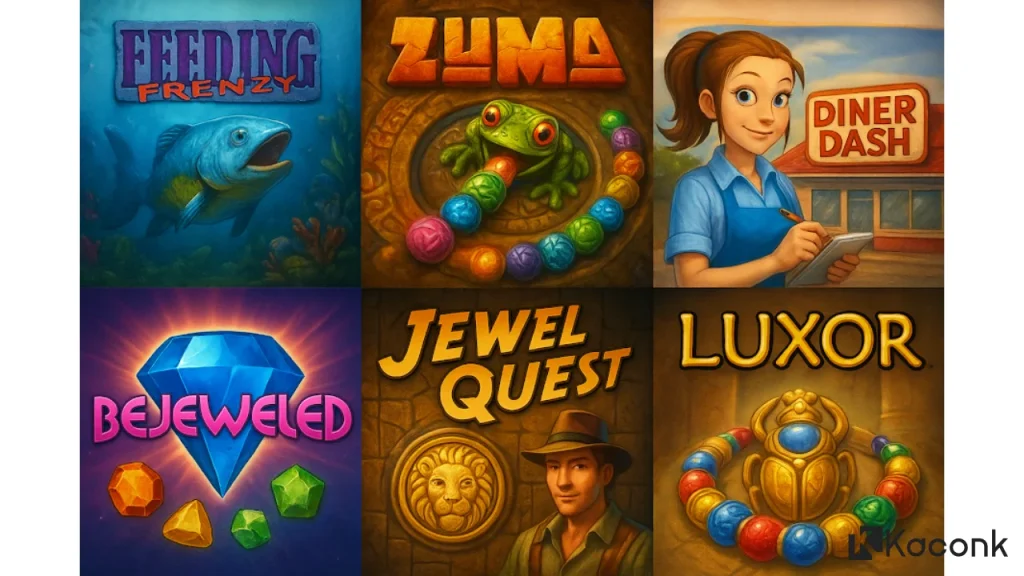
Zuma is a classic puzzle game where players shoot colored balls into a chain and match three or more balls of the same color. - Feeding Frenzy
In Feeding Frenzy, you control a small fish that must eat other creatures to grow bigger while avoiding larger predators. - Bejeweled
Bejeweled is a classic match-three puzzle game. Players match three or more identical gems to score points and create combinations. - Cake Mania
In Cake Mania, you run a cake shop and serve customers as quickly as possible while managing orders and keeping them satisfied.
These games were once extremely popular and were commonly played on home computers, internet cafés, and school computers.

Lightweight Games for Older PCs
Another advantage of many classic GameHouse games is their relatively small size.
Many casual games from this era were designed to run on computers with modest hardware, making them suitable for older PCs and laptops.
If you have an old computer that cannot handle modern games, classic casual games can be an enjoyable alternative.
Play GameHouse Games Offline
One of the biggest advantages of this collection is that the games can be played offline on a PC.
After the games have been properly installed, you generally do not need an active internet connection to play them.
This makes the collection convenient for users who want to enjoy classic games without constantly connecting to the internet.
Game List
The collection includes a large number of classic casual games. Some of the titles include:
- Adventure Inlay
- Adventure Inlay: Safari Edition
- Air Strike 3D
- Alien Sky
- Aloha Solitaire
- Aloha TriPeaks
- Ancient Tri-Jong
- Ancient Tripeaks
- Astrobatics
- Atlantis
- Atomaders
- Bejeweled 2
- Bewitched
- Big Kahuna Reef
- Boggle Supreme
- Bounce Out Blitz
- Casino Island To Go
- Chainz
- Chainz 2: Relinked
- Charm Solitaire
- Charm Tale
- Chicktionary
- Chuzzle Deluxe
- Collapse!
- Crunch
- Combo Chaos!
- Crystal Path
- Cubis Gold 2
- Digby’s Donuts
- Diner Dash
- Feeding Frenzy
- Fiber Twig
- Five Card Deluxe
- Flip Words
- Flying Leo
- Fortune Tiles Gold
- Fresco Wizard
- GameHouse Sudoku
- Gearz
- Granny in Paradise
- Gutterball
- Gutterball 2
- Hamsterball
- Hello!
- Holiday Express
- Iggle Pop!
- Incadia
- Incredible Ink
- Insaniquarium Deluxe
- Inspector Parker
- Invadazoid
- Jewel Quest
- Lemonade Tycoon
- Luxor
- Mad Caps
- Magic Ball
- Magic Ball 2
- Magic Ball 2: New Worlds
- Magic Inlay
- Magic Vines
- Mah Jong Adventures
- Mah Jong Medley
- Mah Jong Quest
- Mahjong Garden To Go
- Mahjong Towers Eternity
- Maui Wowee
- Nickelodeon Jigsaw: Blue’s Clues
- Nickelodeon Jigsaw: Dora the Explorer
- Nickelodeon Jigsaw: Fairly OddParents
- Nickelodeon Jigsaw: Jimmy Neutron Boy Genius
- Nickelodeon Jigsaw: SpongeBob SquarePants
- Phlinx To Go
- Pin High Country Club Golf
- Pizza Frenzy
- Platypus
- Poker Superstars
- Puzzle Express
- Puzzle Inlay
- Puzzle Solitaire
- QBz
- Reader’s Digest Super Word Power
- Ricochet
- Ricochet Lost Worlds
- Ricochet Lost Worlds: Recharged
- Roller Rush
- Saints & Sinners Bingo
- SCRABBLE
- Shape Shifter
- Slingo Deluxe
- Spelvin
- Splash
- Spring Sprang Sprung
- Super 5-Line Slots
- Super Blackjack!
- Super Bounce Out!
- Super Candy Cruncher
- Super Collapse!
- Super Collapse! II
- Super Collapse! II Platinum
- Super Fruit Frolic
- Super GameHouse Solitaire Vol. 1
- Super GameHouse Solitaire Vol. 2
- Super GameHouse Solitaire Vol. 3
- Super Gem Drop
- Super Glinx!
- Super Jigsaw: Anne Geddes – Down in the Garden
- Super Jigsaw: Butterflies
- Super Jigsaw: Flowers
- Super Jigsaw: GameHouse Demo
- Super Jigsaw: GameHouse Demo 2004
- Super Jigsaw: Great Art
- Super Jigsaw: Landscapes
- Super Jigsaw: Lighthouses
- Super Jigsaw: Medley
- Super Jigsaw: Medley 2
- Super Jigsaw: Pets
- Super Jigsaw: Starter
- Super Jigsaw: Thomas Kinkade
- Super Jigsaw: Thomas Kinkade’s Holiday Special
- Super Jigsaw: USA Starter
- Super Jigsaw: Variety
- Super Jigsaw: Wyland
- Super Letter Linker
- Super Mah Jong Solitaire
- Super Nisqually
- Super PileUp!
- Super Pool
- Super Pop & Drop!
- Super Rumble Cube
- Super SpongeBob Collapse!
- Super TextTwist
- Super WHATword
- Super Wild Wild Words
- Tap a Jam
- Ten Pin Championship Bowling Pro
- Tennis Titans
- Tradewinds 2
- Trivia Machine
- Tropical Swaps
- Tumblebugs
- Turtle Bay
- Twistingo
- Ultimate Dominoes
- Varmintz Deluxe
- The Walls of Jericho
- Wheel of Fortune
- Word Jolt
- Word Slinger
- WordJong To Go
- Zuma Deluxe
With a large collection in one package, you can choose from different genres, including puzzle, arcade, adventure, card, strategy, and casual games.
Download GameHouse for PC
If you are looking for a collection of GameHouse games for PC, make sure you obtain the games from a legitimate and trusted source.
For users who want a convenient installation package, the collection can be provided as a downloadable archive containing multiple classic games.
How to Install the Games
If you have obtained a legitimate installation package containing CD 1 and CD 2, follow these steps:
- Download and extract the archive.
- After extraction, you should see two folders named CD 1 and CD 2.
- Open the CD 1 folder.
- Run
Setup.exeto start the installation. - During installation, the setup program may ask you to insert or locate CD 2.
- Click Browse and select the CD 2 folder.
- Continue with the installation process.
- Wait until the installation is completed.
- Once the installation is finished, launch the game and start playing.
The exact installation process may vary depending on the game and the version of the installer.
Why Play Classic GameHouse Games?
There are several reasons why classic GameHouse games are still enjoyable today:
- Simple and easy-to-learn gameplay
- Lightweight compared with many modern games
- Suitable for older PCs
- Many different game genres
- Can be played offline after installation
- Great for nostalgia
- Suitable for casual gaming
- Does not require high-end gaming hardware
For users who simply want to relax and play something familiar, these classic games can be a great choice.
Conclusion
GameHouse is more than just a collection of old PC games. For many players, these classic titles are part of their childhood memories.
Games such as Zuma, Feeding Frenzy, Bejeweled, and Cake Mania may look simple compared with today’s high-end games, but their straightforward gameplay and addictive mechanics continue to make them enjoyable.
If you are looking for classic GameHouse PC games that can be played offline, this collection offers plenty of titles to explore. Whether you want to revisit your favorite childhood games or discover classic casual games for the first time, GameHouse provides a nostalgic gaming experience that is still fun today.
Before downloading, always make sure that the games and download source are legitimate and that you have the necessary rights to use the software.
Enjoy the nostalgia and happy gaming!
