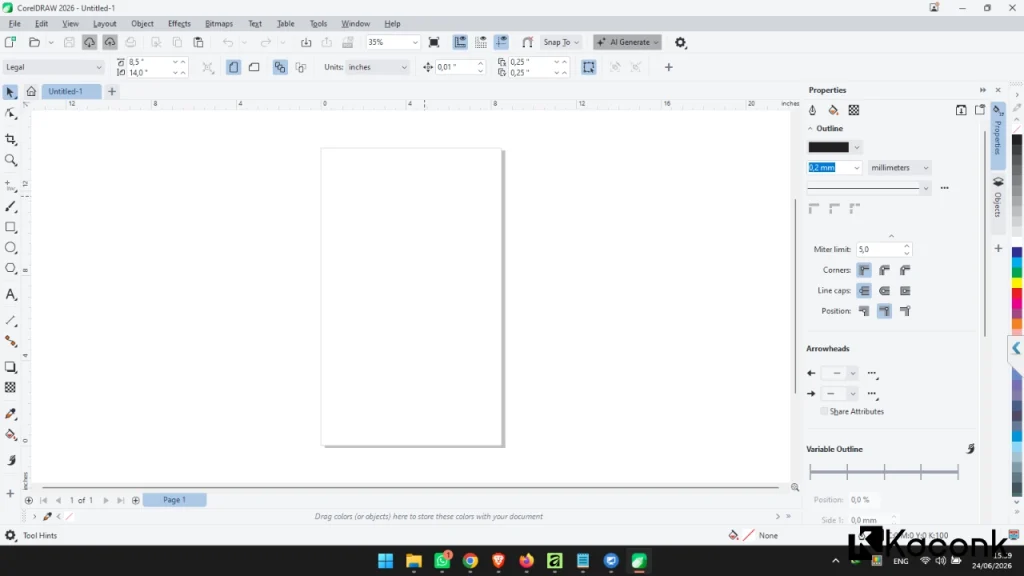
CorelDRAW Graphics Suite 2026 Features

CorelDRAW Graphics Suite 2026 comes with a wide range of advanced features designed to help graphic designers, businesses, print professionals, and content creators produce high-quality work faster and more efficiently.
The software suite goes beyond powerful vector design tools. It also provides solutions for photo editing, page layout, font management, professional printing, and cloud-based collaboration.
Below are the key features available in CorelDRAW Graphics Suite 2026.
1. CorelDRAW – Professional Vector Graphic Design
CorelDRAW is the primary application included in the Graphics Suite and is widely used for creating professional vector-based designs.
CorelDRAW Key Features
- Professional logo design
- Banner and signage design
- Brochure and flyer creation
- Product packaging design
- Vector illustrations
- Social media graphics
- Infographic creation
One of the major advantages of vector graphics is that designs remain sharp and maintain their quality even when enlarged to very large sizes.
2. Corel PHOTO-PAINT – Professional Photo Editing
Corel PHOTO-PAINT provides powerful tools for detailed photo editing and image manipulation.
Key Capabilities
- Photo retouching
- Removal of unwanted objects
- Automatic color correction
- Lighting adjustments
- Artistic effects and creative filters
- Combining multiple images
These tools are particularly useful for promotional materials, product catalogs, advertising designs, and digital content.
3. AI-Powered Image Editing
CorelDRAW Graphics Suite 2026 incorporates Artificial Intelligence (AI) technology to improve productivity and simplify common editing tasks.
AI-Powered Features
- Automatic background removal
- Image enhancement
- Photo detail improvement
- Intelligent color optimization
- More accurate object selection
With AI-assisted editing, users can complete repetitive tasks more quickly while maintaining high-quality results.
4. CorelDRAW Web
CorelDRAW Web allows users to access and edit designs through a web browser without relying entirely on the desktop application.
Key Benefits
- Edit designs online
- Access files from different devices
- Share projects with team members
- Cloud-based file synchronization
- Support for remote work
This feature is particularly useful for modern creative teams and users who need greater flexibility when working from different locations.
5. Real-Time Collaboration and Feedback
CorelDRAW Graphics Suite 2026 provides collaboration features designed to make communication between designers, clients, and team members more efficient.
Collaboration Features
- Share designs with clients
- Add comments directly to projects
- Track revisions
- Speed up the design approval process
These features can simplify the review process and reduce unnecessary communication when working on design projects.
6. Corel Font Manager
Managing large font collections becomes easier with Corel Font Manager.
Font Management Features
- Organize thousands of fonts
- Quickly search for fonts
- Preview fonts
- Activate fonts when needed
- Group fonts by category
This can be especially useful for designers who regularly work with different typefaces and large font libraries.
7. Professional Illustration and Vector Editing Tools
CorelDRAW provides a comprehensive collection of illustration and vector editing tools that allow users to create detailed artwork with a high level of precision.
Illustration Tools
- Bezier Tool
- Pen Tool
- Shape Tool
- Smart Drawing Tool
- Live Sketch
- Interactive Fill Tool
These tools provide designers with greater control when creating logos, illustrations, icons, technical artwork, and other vector-based graphics.
8. Multi-Page Layout and Document Design
CorelDRAW Graphics Suite 2026 supports multi-page documents for both print and digital projects.
Suitable For
- Books
- Product catalogs
- Magazines
- Company profiles
- Business proposals
- E-books
Flexible page management makes it easier to create professional documents that contain multiple pages within a single project.
9. Extensive File Format Support
CorelDRAW is known for its compatibility with a wide range of popular graphic and document formats.
Supported File Formats
- CDR
- AI
- PSD
- SVG
- EPS
- PNG
- JPG
- TIFF
- WEBP
Broad file compatibility makes it easier to exchange projects between CorelDRAW and other graphic design applications.
10. Professional Color Management
Accurate color reproduction is essential for graphic design, branding, and professional printing. CorelDRAW Graphics Suite provides color management tools designed to help maintain consistent colors throughout the design and production workflow.
Color Features
- CMYK support
- Pantone color support
- Color Styles
- Color Harmonies
- Professional color management
Consistent color handling helps ensure that designs look as expected across displays, exported files, and printed materials.
11. Templates and Creative Assets
CorelDRAW Graphics Suite 2026 includes access to various design resources that can help users start projects more quickly.
Available Resources
- Poster templates
- Social media templates
- Brochure templates
- Business card templates
- Icons and illustrations
- Clipart
- Additional fonts
Ready-to-use templates and creative assets can save time, particularly when creating common marketing and business materials.
12. Corel CAPTURE
Corel CAPTURE is a screen capture utility included with the Graphics Suite. It provides several options for capturing content displayed on the screen.
Main Functions
- Full-screen screenshots
- Capture a specific area
- Capture the active window
- Capture application menus
Captured images can then be used directly in design projects, documentation, presentations, or other creative work.
13. Professional Print Production Support
CorelDRAW Graphics Suite is widely used in the printing industry because it provides tools for preparing artwork for professional print production.
Printing Features
- Bleed settings
- Crop marks
- Color separations
- Preflight checking
- Professional PDF output
These features help designers prepare files correctly before sending them to a professional printing service.
Advantages of CorelDRAW Graphics Suite 2026
There are several reasons why CorelDRAW Graphics Suite remains a popular choice among graphic designers and print professionals.
- Easy-to-learn interface
- Suitable for beginners and professionals
- Modern AI-powered tools
- Broad file format compatibility
- Comprehensive printing features
- Cloud-based collaboration
- Improved performance and stability
- Comprehensive vector and photo editing tools
- Professional color management
Conclusion
CorelDRAW Graphics Suite 2026 offers a comprehensive collection of tools for modern graphic design workflows. From vector illustration and professional photo editing to font management, online collaboration, multi-page layouts, and professional print production, the suite brings many creative tools together in a single solution.
With the combination of AI-powered features, improved performance, extensive file format support, and professional design tools, CorelDRAW Graphics Suite 2026 is a powerful option for graphic designers, print professionals, businesses, content creators, and educational institutions looking for reliable graphic design software.
Whether you are creating a simple logo, designing marketing materials, preparing files for professional printing, or working on a large multi-page publication, CorelDRAW Graphics Suite 2026 provides a versatile set of tools to support a wide range of creative projects.
